HIIT Intervals: How to Set Work and Rest Times
Updated October 19, 2026 · 7 minute read
Every HIIT workout comes down to three numbers: how long you work, how long you rest, and how many rounds you do. Change them and the same exercises turn into a very different workout. Here is how to pick them for your goal.
The three numbers
| Work | How long each hard effort lasts |
|---|---|
| Rest | How long you recover before the next one |
| Rounds | How many times the pair repeats |
| Total time | Work plus rest, times rounds. 40 seconds on and 20 off for 10 rounds is 10 minutes. |
Of the three, the ratio between work and rest matters most. It decides how much you recover between efforts, and that decides how hard each effort can be.
Work to rest ratios explained
| 2:1, like 40/20 or 20/10 | Rest is half the work. You never fully recover, so your heart rate keeps climbing from round to round. Hard, and great for conditioning. Tabata is the best known 2:1 workout. |
|---|---|
| 1:1, like 30/30 or 45/45 | Equal work and rest. Hard but sustainable, so your form holds up over a longer session. A good default for most people. |
| 1:2 to 1:3, like 20/40 or 15/45 | Short work, long rest. You recover almost fully, so every effort can be close to all out. Best for sprints and power, and the friendliest ratio for beginners. |
| EMOM | Work and rest share a fixed minute: the faster you finish the work, the more rest you get. The EMOM guide covers it in full. |
Which ratio fits your goal
- Just starting out: 1:2. Try 20 seconds on and 40 off. You learn to push hard without falling apart after three rounds.
- General fitness and calorie burn: 1:1 to 2:1. 30/30 or 40/20 with bodyweight moves keeps your heart rate high for the whole session.
- Speed and power: 1:3 or more. Short, all out sprints of 10 to 15 seconds with 30 to 60 seconds of rest. If you cannot hold full speed, rest longer.
- Endurance: longer intervals. Efforts of 2 to 4 minutes with 1 to 3 minutes of easy movement in between. The best known is the 4x4: four minutes hard, three minutes easy, four times.
How many rounds, and how long?
For most people, 10 to 20 minutes of intervals is plenty, after a 5 minute warm up. Watch your last rounds: if they are much weaker than your first ones, you did too many rounds or rested too little for the ratio you picked.
Two or three HIIT sessions a week is enough. Hard intervals need recovery, and doing them every day usually makes every session worse.
Sample interval sessions
Beginner: 20/40, 10 rounds, 10 minutes
Alternate air squats and incline push-ups. Go easy on round one, then hold a steady, hard effort.
Intermediate: 40/20, 10 rounds, 10 minutes
Squats, push-ups, lunges, mountain climbers and burpees, twice through. Aim to keep the same pace in round ten as in round one.
Sprints: 15/45, 8 rounds, 8 minutes
All out on a bike, a rower or a hill, with easy pedaling or walking in the rest. Stop early if your speed drops off.
Endurance: 4x4, 28 minutes
Four minutes of running, rowing or cycling, hard enough that you can only speak a few words, then three minutes of easy movement. Four rounds.
Let your heart rate tell you
A heart rate strap shows whether your ratio is doing its job.
- Work should reach the hard zones. In most HIIT sessions your heart rate should climb above about 80% of your maximum within the first few rounds. Short sprints with long rests are the exception: they are about speed, not heart rate.
- Watch it next to your reps. If your heart rate barely drops during rest and your reps are falling apart, rest longer or cut a round.
- Estimate your maximum. 208 minus 0.7 times your age is a better rough guess than the old 220 minus your age. For a 40 year old, that is about 180 beats per minute.
RankTime shows your live heart rate during every interval, with a Polar H10 or any Bluetooth heart rate strap, and draws the whole workout as a chart afterwards with your heart rate zones marked.
Common HIIT mistakes
- Too little rest for the goal. Shorter rest is not always better. If every round is weaker than the last, the intervals are no longer high intensity.
- Too many rounds. Stop when your form goes. The last round should look like the first.
- Skipping the warm up. Five minutes of easy movement first lowers the risk of a strain.
- Watching the clock. Use a timer with sound cues and full screen color, so your eyes stay on your form.
How to set your intervals in RankTime
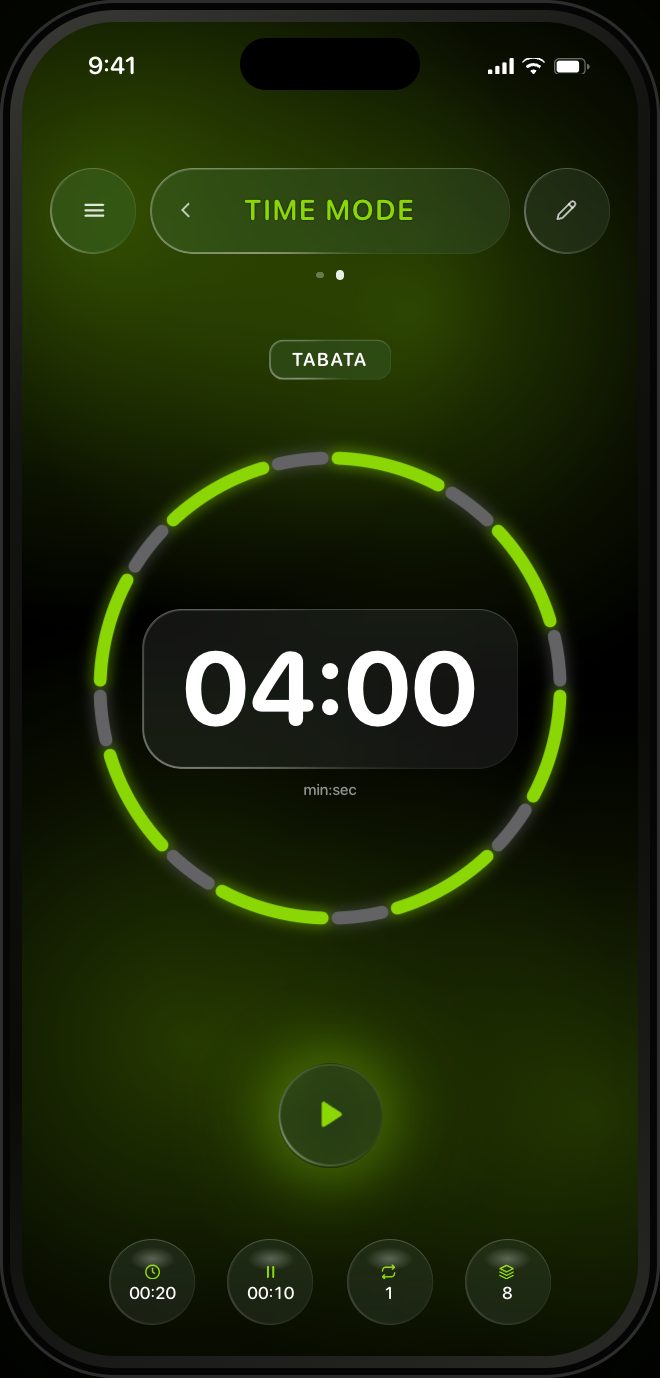
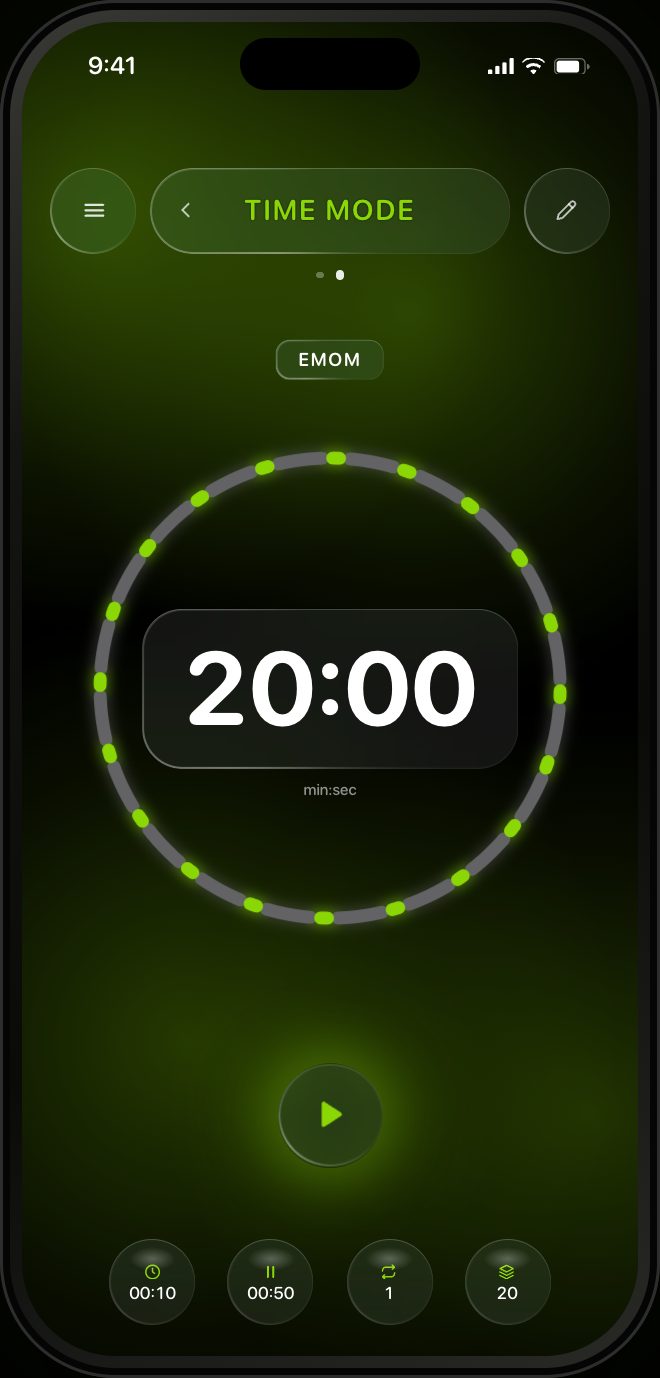
Open RankTime in TIME mode. The circles along the bottom are your numbers: work per set, rest, exercises, rounds and an optional run. Tap one and drag the number up or down to change it. The ring redraws as you go, with every work interval in lime, every rest in grey, and the total time in the middle.
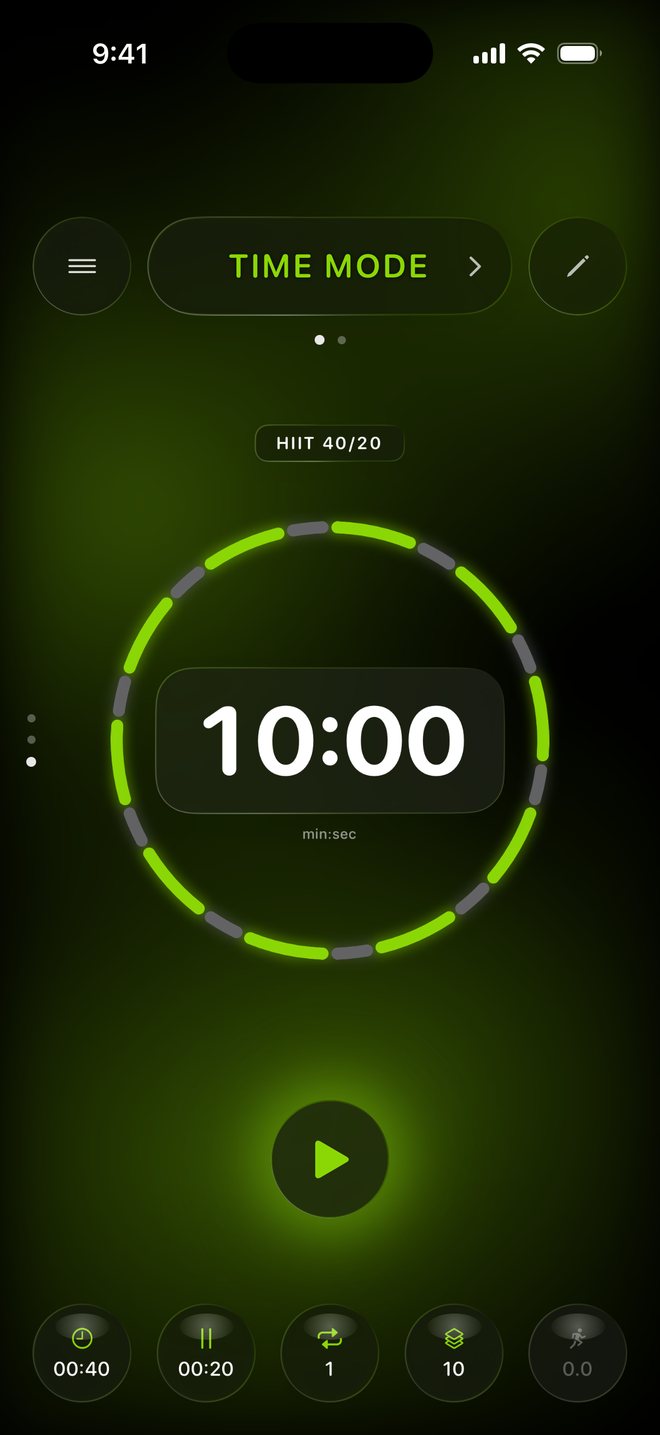
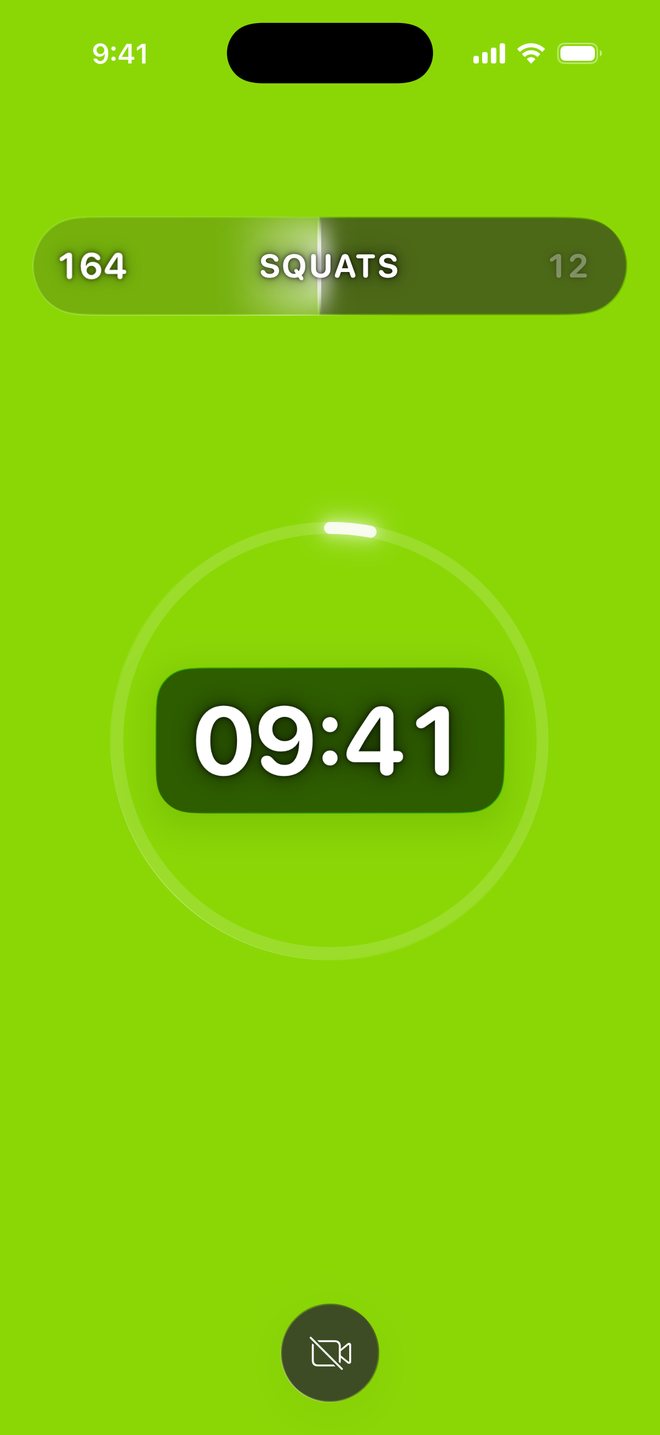
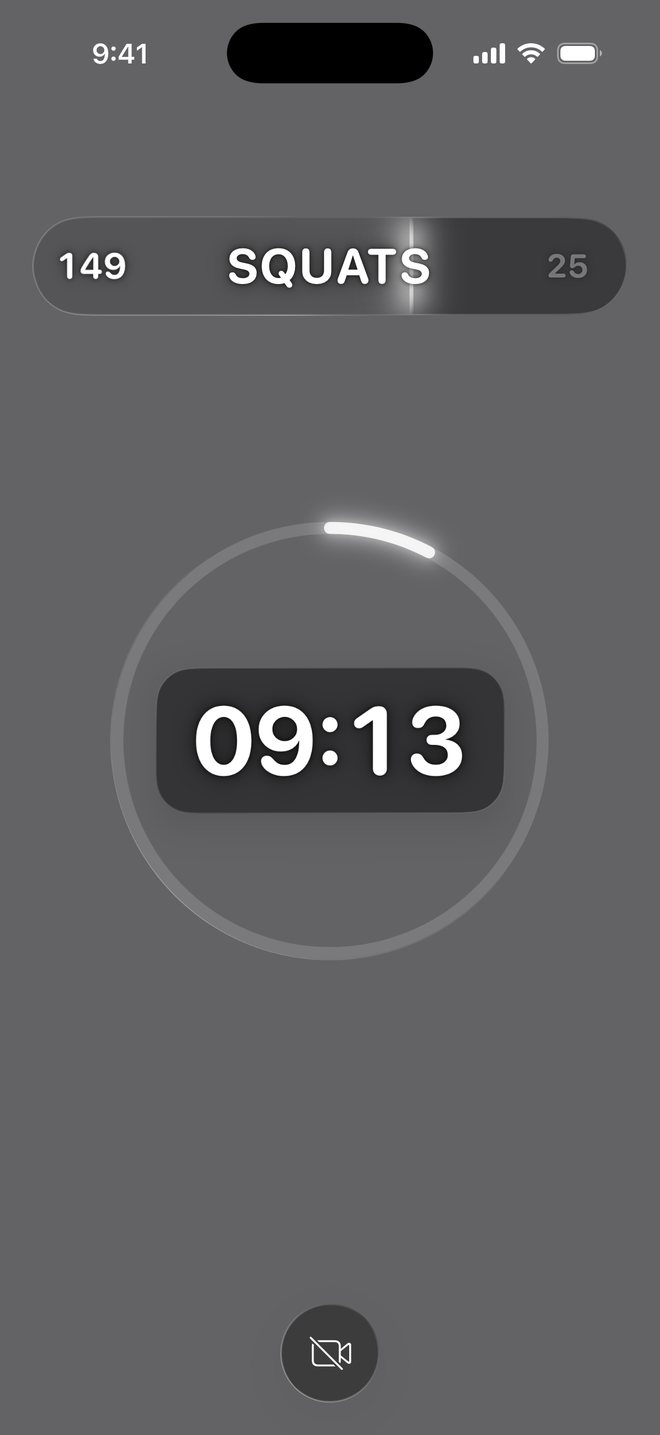
- Set work, rest and rounds. A work interval can be up to 10 minutes long, so the same screen handles a 20 second Tabata and a 4 minute 4x4.
- Pick your exercises. Tap the exercises circle, then an exercise to swap it. Push-ups, pull-ups and squats are counted by the camera out of the box, and the Trainer learns any other movement from one recorded set.
- Save it. Save the setup as a new workout with its own name. It gets its own page, so you swipe up or down to switch between it, TABATA and EMOM.
- Press play. Lime means work, grey means rest, and the sound and vibration cues mean you do not need to look at all.
Want the work to change from round to round? Tap the Time/Set circle, switch it to Ladder and type the seconds, for example 20-30-40-30-20.

Run your intervals with RankTime
Any work and rest pattern, full screen color cues, camera rep counting, heart rate, and a military rank that grows with every workout.

More guides